

VONZTEK
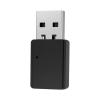
Vonztek Bluetooth USB Dongle Wireless Adapter (only Audio) for Vonztek BT-88 Series Hedset
564,85 kr.
941,42 kr.
-
 Order within to get between
 -
 Tracked Shipping on All Orders
-
 14-Day Returns
- Secure Payments
-
 24/7 Customer Support
Description
- 1. Plug the USB dongle into your PC/MAC/laptop USB-A port. 2.The dongle will enter the Pair mode, LED flashes Red/Blue.
- 3. Slide the ON/OFF button on the BT-88 headset to the middle gear, headset on. 4. Slide and hold the button to the PAIR side for 3 secs until headset indicator shows Blue/Red light flashing, headset enter the Pair MODE.
- 5. Wait for 3-5 secs,Normally they would pair automaticallv. 6.The dongle will shows LED solid blue, and the headset will both flashing only Blue light, meaning paired successfully.
- 7. Click PC sound icon(on the bottom right side of Windows/Topright side of MAC), choose BT-88 Dongle.
- 8.IF you need to Connect with 2 devices: First pair with the dongle or your cellphone, make sure when you pair with the second device, the first devices Bluetooth function should be turn off.
1. Plug the USB dongle into your PC/MAC/laptop USB-A port. 2.The dongle will enter the Pair mode, LED flashes Red/Blue.
Shipping and Returns
- We offer tracked shipping on all orders. Tracking information will be shared as soon as the order is dispatched.
- Please check the delivery estimate before adding a product to the cart. This is displayed for every product on the website.
- Available shipping methods and charges will be displayed at the time of checkout, depending on your exact location.
- All customers are entitled to a return window of 14 days, starting from the date of delivery of the product(s).
- Customers are advised to read our return policy for details of the return process, eligibility, refunds as well as cancellations or exchanges.
- In case of any issues or concerns about Shipping or Returns, please contact us and we will be happy to help.
Vonztek.
Vonztek Bluetooth USB Dongle Wireless Adapter (only Audio...
564,85 kr.
941,42 kr.